Photography Website Templates: 9 Best Picks for 2026
Great photography website templates get out of the way and let your images do the talking. For photographers, the site is the portfolio, so the layout has to load full-resolution work quickly, arrange it beautifully, and make hiring you effortless. These nine picks for 2026 each solve that for a different kind of photographer, from minimalist portfolios to full wedding showcases.
What to look for in photography website templates
The right photography website templates all get the fundamentals right before any styling:
- Image-first layouts: big, uncompressed visuals with minimal chrome competing for attention.
- Fast, optimised galleries: high-resolution photos that still load quickly, so viewers never wait.
- Clean navigation: clear paths to your portfolio, about page, and contact form.
- A booking or enquiry path: an obvious way for clients to reach you while they are impressed.
- Mobile galleries that work: swipeable, tap-friendly viewing on phones and tablets.
The 9 best photography website templates for 2026
1. Minimalist Grid Portfolio
The classic for a reason: a clean, edge-to-edge grid that presents your best work with zero distraction. It suits any photographer who wants the images to be the entire story and values timeless restraint over trend.
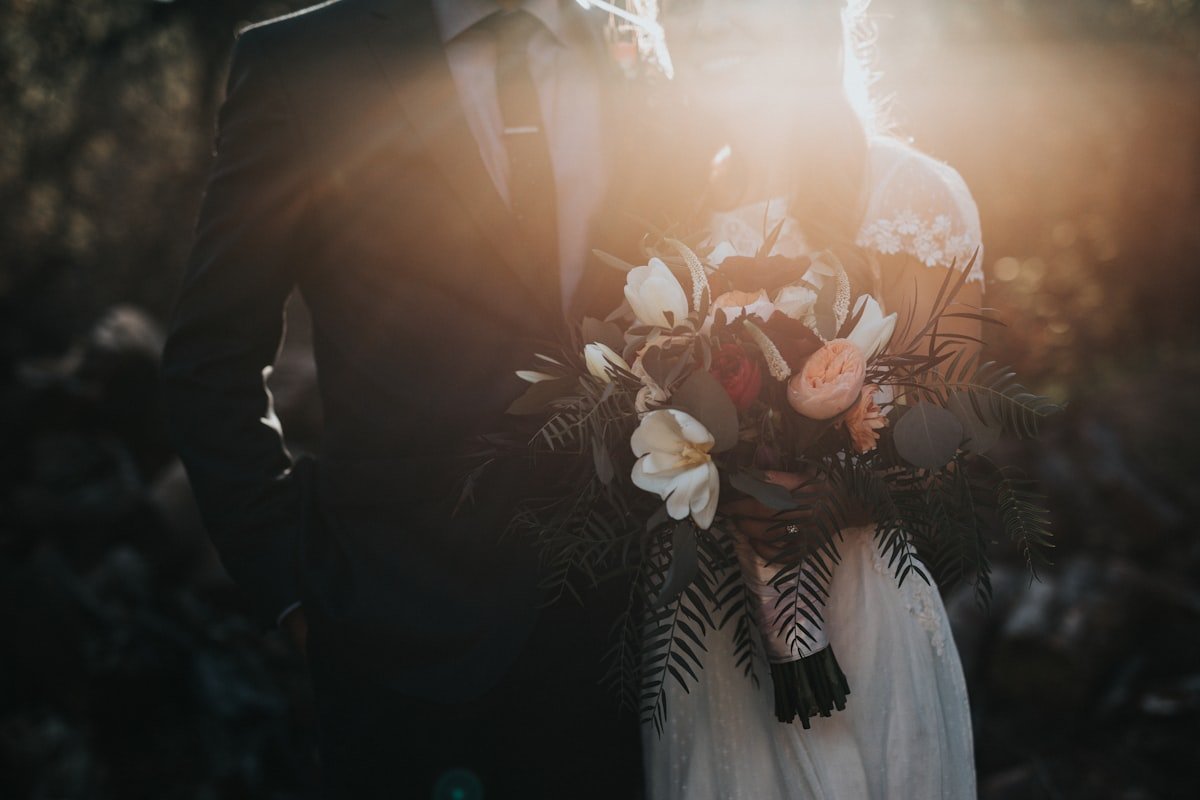
2. Wedding Photography
Warm, romantic, and gallery-heavy, this style is built to showcase full wedding stories and win engaged couples. It pairs emotional hero imagery with clear packages and an enquiry form couples can find in seconds.
3. Fashion & Editorial
Bold and magazine-inspired, the editorial style uses dramatic full-bleed images and confident typography. It fits fashion, beauty, and editorial shooters who need their site to feel as styled as their work.
4. Fine-Art Single-Image
Quiet and gallery-like, this template presents one striking image at a time with lots of breathing room. It is ideal for fine-art and gallery photographers who treat each frame as a piece to be contemplated.
5. Photo Studio & Business
Structured and service-led, the studio style balances portfolio with practical detail — pricing, services, and booking. It suits commercial studios and photographers running a team rather than a personal brand.
6. Travel & Landscape
Immersive and expansive, this style uses sweeping full-width panoramas and map-friendly layouts. It is made for travel, landscape, and adventure photographers whose work rewards a large, cinematic canvas.
7. Product & Commercial
Crisp and conversion-aware, the commercial style presents clean product shots alongside clear service information for brands and agencies. It helps commercial photographers turn a portfolio visit into a booked shoot.
8. Family & Portrait
Friendly, warm, and approachable, this template puts people at ease. It suits portrait, newborn, and family photographers with soft palettes, testimonials, and simple session booking.
9. Dark Cinematic
Moody and premium, the dark style makes colours pop against deep backgrounds. It fits photographers who want a high-end, cinematic feel automotive, nightlife, concert, and dramatic portrait work especially.
Choosing and customising your photography template
Pick the style that matches your genre and the clients you want, then confirm it loads your largest images quickly. From there, replacing the demo photos with your own portfolio is the main task and keeping the layout intact while you do it is straightforward if you follow a few safe habits, covered in our guide to customising a template without breaking it.
Design features that convert in 2026
The strongest photography templates this year share a handful of traits worth insisting on: bold, readable typography that states your value at a glance; fast, lightweight pages that load in a blink on mobile data; generous white space that makes the whole layout feel premium; and a single, obvious call-to-action in every section instead of a wall of competing buttons.
Subtle motion and tasteful hover effects add polish without slowing anything down. Insist on these and your site will feel current for years, not months and it will quietly do a better job of turning visitors into customers.
Who should use a photography template?
These templates suit photographers at every stage from someone building a first portfolio to an established studio with a full client roster. Wedding, portrait, fashion, product, travel, and fine-art shooters each have a style here tuned to how their clients browse and book.
If your work deserves to be seen at full quality and you want enquiries to arrive without chasing, a photography template is the fastest way to a portfolio that sells. It lets your images stay the hero while the layout quietly does the work of turning viewers into paying clients.
Common mistakes to avoid
Even a great template can be undermined by a few avoidable slips. Watch for these when you set up your photography site:
- Uploading full-size images without compressing them first it kills load speed. Run them through a tool like TinyPNG before you upload.
- Burying your contact or booking link where clients cannot find it.
- Choosing a busy layout that competes with your photos for attention.
- Forgetting alt text, which hurts both SEO and accessibility. WebAIM’s guide to alt text is a solid reference.
How much do photography website templates cost?
This is where templates shine. A professional photography website template is usually a modest one-time purchase often less than a single month on a subscription website builder. After that, your only ongoing cost is basic web hosting, typically just a few dollars a month.
Compared with hiring a designer, which can run into the hundreds or thousands, or paying a builder subscription indefinitely, a template delivers a premium result for a fraction of the long-term cost.
How to launch your photography site fast
Getting live is more straightforward than most people expect. The heavy design work is already done, so your job is mainly to make the template yours:
- Choose the style: that matches your brand from the picks above.
- Add your content: swap in your own text, photos, and details.
- Connect your tools: a booking form, enquiry form, or ordering and checkout service as needed.
- Test on mobile: resize the page and click every link and button.
- Publish: to your host and share it with the world.
Follow those steps and a polished photography website can be live within a day or two.
Why start from a photography template?
Building a site from scratch means weeks of design, coding, and testing before you have anything to show. A professionally built template hands you an expert-level foundation on day one tested across devices, tuned for speed, and ready for your content.
You skip the slowest part of web design and spend your time on what actually matters: your photography business.
Frequently asked questions
Do these photography templates slow down with large images?
Good photography templates are built to load high-resolution work quickly using optimised galleries and lazy loading. Compress your photos before uploading and your site stays fast even with full-quality images.
Can clients book a shoot directly from the site?
Yes. Each style includes an enquiry or booking path, and you can connect a contact form or scheduling tool so clients can reach you or reserve a session while they are impressed by your work.
Do I need a separate blog for SEO?
Many templates include a blog section, which is a great way to rank for local and genre keywords over time. Even a few posts about your shoots or your area can bring in search traffic.
Can I sell prints or packages from the site?
Yes you can add e-commerce or a checkout tool to sell prints, sessions, or packages directly from your site.
Which template is best for a beginner photographer?
The minimalist grid portfolio is the easiest starting point: it is simple to fill, hard to get wrong, and lets even a small body of work look professional.
Final thoughts
The right photography website template gives you a professional, fast, mobile-ready site without the time or expense of building from scratch. Start from a style that fits your brand, personalise it with your own content, and you will have a site that looks bespoke for a fraction of the cost and one you fully own and can grow over time.
Start showing your work
The sooner your best images are online in a fast, elegant gallery, the sooner they can book you work. Explore the full photography template collection at Themestations, choose the style that fits your eye, and have a portfolio live by the weekend.
Ready to launch your own site?
Browse 100+ premium website & Shopify templates — one-time, from $19.
Browse all templates →