Affordable Website Templates: 12 Best Picks to Launch for Under $20 (2026)
Affordable website templates are the fastest, cheapest way to launch a professional site in 2026 usually for under $20, paid once, with no monthly subscriptions ever. Getting a business online used to mean one of two things: pay a developer thousands of dollars, or rent a website builder that bills you every single month. Neither feels great when you’re just starting out, and neither is necessary anymore.
A good template gives you a complete, polished design that’s yours to keep forever. You download the files, swap in your own words and pictures, and go live often the same afternoon.
In this guide you’ll learn what these templates are, why they beat subscription builders on price, a checklist for picking the right one, the best categories to shop, how to customize and launch step by step, the mistakes to avoid, and exactly how much you should pay.
What are affordable website templates?
A website template is a pre-designed, ready-to-use website. The layout, styling, fonts, and pages are already built you just fill them with your own content. With premium HTML templates you get clean HTML, CSS, and JavaScript files that you can edit in any code editor.
There’s no monthly fee and no platform lock-in. You download the files, customize them, and host them anywhere you like. Because the hard design work is already finished, a site that would cost thousands to build from scratch can sell for as little as $19.
That’s the whole appeal of affordable website templates: professional design without the professional invoice. You own the files outright, so there are no renewals, no surprise price hikes, and no risk of your site vanishing because a bill went unpaid.
Website templates vs. website builders: the real cost
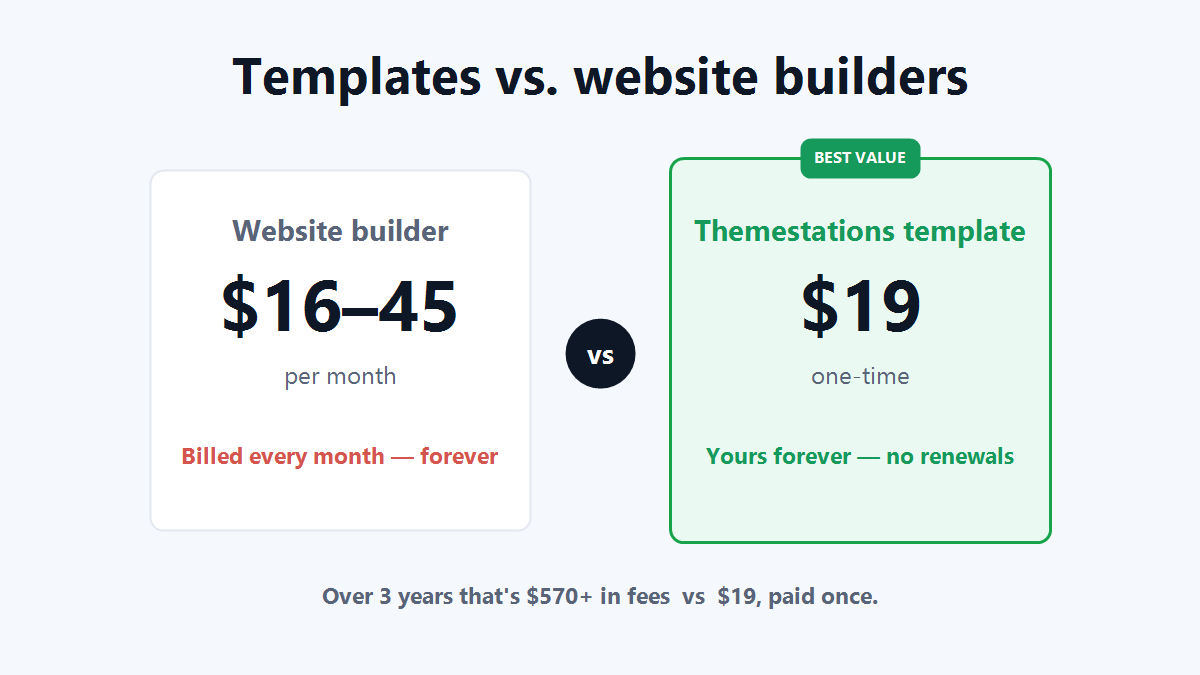
This is where templates win decisively. Most website builders look cheap up front, but they bill you every month and the day you stop paying, your site disappears. Compare the two over a realistic timeframe and the gap is enormous.
- Website builder: roughly $16–$45 per month. Over three years that’s $570–$1,600+, and you never actually own anything.
- Affordable website template: around $19, paid once. You own the files forever, with zero renewals.
For most small businesses, a one-time template pays for itself before the first monthly builder bill would even arrive. You also avoid the slow, bloated code that many drag-and-drop builders produce, which matters more than people realize see Google’s own explanation of why site speed matters for search rankings and conversions.
You own it, not rent it
Ownership is the quiet superpower here. With a template, the design is an asset you keep. Switch hosts, redesign later, or hand the files to a developer it’s all your call, with no platform holding your site hostage.
What to look for: an affordable website templates checklist
Not all cheap templates are good templates. When you shop, treat affordable website templates like any other purchase and look for these green flags before you buy:
- Fully responsive: looks perfect on phones, tablets, and desktops.
- Complete, multi-page design: home, about, services, and contact pages, not just a single landing page.
- Clean, fast code: lightweight HTML and CSS that loads quickly and ranks better.
- Full source files included: so you can edit colors, fonts, and content freely.
- A clear license: confirm you can use it for your business or your clients.
- Easy customization: a good template ships with a README and a sensible folder structure.
If a template misses two or more of these, keep looking. The whole point of buying affordable website templates is to save time and money a confusing or half-finished file does the opposite.
Best categories and use cases
The right template depends on what you’re launching. Here are the most popular categories and who each one suits best.
Business and agency sites
Clean, trust-building layouts with service pages, team sections, and a strong contact area. Perfect for consultants, local services, and agencies. You can browse business templates built exactly for this.
Online stores and portfolios
Store-ready designs with product grids and clear calls to action work for small shops, while portfolio templates put your work front and center for photographers, designers, and freelancers.
Restaurants, real estate, and more
Niche templates come pre-loaded with the sections each industry needs menus and reservations for restaurants, listings and galleries for real estate. Starting from a niche design means far less editing.
12 best affordable website templates to consider
You don’t need to memorize twelve product names you need to know the twelve types worth shopping, all of which land under $20 at quality marketplaces:
- Multi-purpose business template
- One-page startup landing page
- Creative agency template
- Personal portfolio
- Small online store
- Restaurant and cafe template
- Real estate listings template
- Professional services (law, finance, consulting)
- Photography and gallery template
- SaaS or app landing page
- Blog or magazine layout
- Coming-soon and event template
Pick the category closest to your business and you’ll spend the least time customizing. You can browse all templates to compare these side by side, all priced from $19.
How to customize and launch in 5 steps
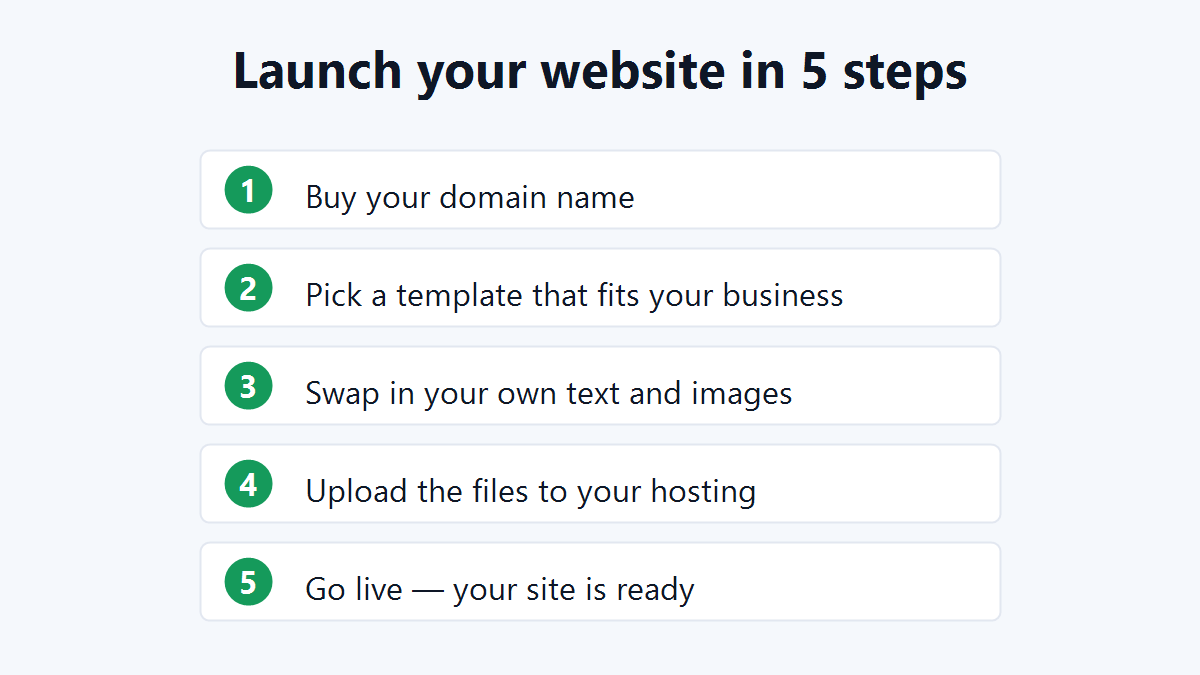
You don’t need to be a developer. Here’s the entire process from start to finish.
- Buy your domain name: your web address, usually $10–15 a year.
- Pick a template: that matches your business and download the files.
- Swap in your own text and images: most templates take an afternoon, not a month.
- Upload the files: to your hosting account, or use one-click hosting.
- Go live: your professional website is online and fully yours.
Most of the work is replacing placeholder text and images with your own. Open the files in a free editor, find the headings and paragraphs, and type over them. Drop your logo and photos into the images folder, and you’re nearly done.
Common mistakes to avoid
A few simple missteps trip up first-time buyers. Sidestep these and your launch stays smooth.
- Buying a single landing page when you need a full site. Check the page count before you pay.
- Ignoring the license. Confirm it covers business or client use if that’s your plan.
- Overstuffing the design. Resist adding every section clean and fast converts better.
- Skipping mobile testing. Always preview your edits on a phone before going live.
- Forgetting images. Compress photos so your fast template stays fast.
How much should you actually pay?
Premium HTML templates typically range from about $19 to $60 depending on size and features. Anything under $20 for a complete, multi-page design is excellent value especially compared with the $500-plus you’d spend over a few years of subscriptions.
The sweet spot for a small business is a polished design in the $19–$39 range that includes every page you need out of the box. Paying more rarely buys better results; it usually just buys extra sections you’ll delete. Affordable website templates in this range hit the best balance of quality and price.
Remember to budget for the small extras too. A domain costs around $10–15 a year, and basic hosting runs a few dollars a month. Even with those added in, your first-year total stays well below what a subscription builder charges in a single quarter.
That’s real money you can spend on marketing or product instead of monthly software fees.
Frequently asked questions
Are affordable website templates good for SEO?
Yes. SEO depends on clean code, fast load times, mobile-friendliness, and good content all of which quality HTML templates deliver. A lightweight template often loads faster than a bloated builder site, which can actually help your rankings.
Do I need coding skills to use one?
No. You only edit text and swap images, which anyone can do in a basic editor. The README included with each template walks you through changing colors, fonts, and content.
Is a one-time payment really cheaper than a subscription?
Almost always. A $19 one-time template beats even a “cheap” $16-per-month builder within the first two months and you keep the files forever instead of renting them.
Where can I find the best affordable website templates?
Look for a marketplace with complete, responsive, multi-page designs and clear licenses. Themestations offers exactly that, with templates for business, stores, portfolios, and more all starting at $19.
Can I use a template for a client project?
Usually yes, with the right license. Always check the license terms, which clearly state what’s allowed for personal, business, and client use.
Start building today
You don’t need a big budget or a developer to look professional online. With affordable website templates, you can launch a complete, polished website this week for less than you’d pay to renew a domain. Browse all Themestations templates from $19 → and find the perfect design for your business.
Ready to launch your own site?
Browse 100+ premium website & Shopify templates — one-time, from $19.
Browse all templates →